



How to Program Mazda Homelink Garage Door Opener
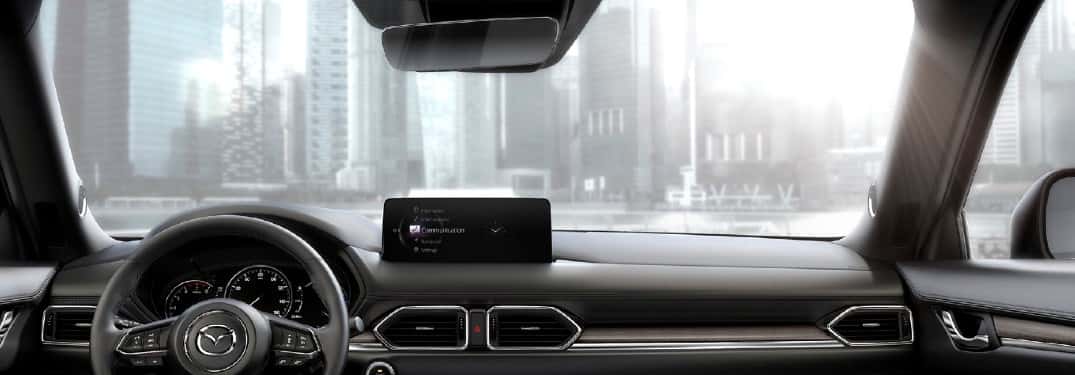
We understand how frustrating it can be fumbling through your glove box for garage remotes while balancing coffee and groceries. Your Mazda’s HomeLink system eliminates that hassle completely. This built-in technology lets you control your garage door, gate, or security system directly from buttons inside your vehicle. Instead of cluttering your car with multiple remotes, HomeLink consolidates up to three devices into one convenient system.
Programming your Mazda HomeLink might sound technical, but we’ve guided thousands of Orlando drivers through this process at Sport Mazda South. Most owners complete the setup in under 10 minutes. The system boosts your security by eliminating lost or stolen remotes while streamlining your daily routine. Whether you’re driving a CX-5, Mazda3, or CX-50, the HomeLink garage door opener functionality works the same way across most Mazda models.
What Is Mazda HomeLink and Why You’ll Love It
The HomeLink universal transceiver replaces those bulky garage remotes cluttering your visor and console. This factory-integrated system communicates directly with your garage door opener, gate controller, or home security devices. You’ll find three programmable buttons built right into your Mazda, each capable of controlling a different device.
Beyond convenience, the HomeLink transceiver offers real security advantages. Traditional remotes can be stolen from unlocked vehicles or copied by thieves. Your HomeLink system stays protected inside your secured Mazda, reducing unauthorized access risks. The technology also eliminates the battery replacements and signal interference common with handheld remotes.
Many Orlando homeowners appreciate how HomeLink programming simplifies their morning routine. You can activate your garage door while pulling into the driveway, then close it behind you without touching a separate device. Parents especially love the single-button operation when juggling kids, bags, and schedules.
What You’ll Need Before Programming Your Mazda HomeLink
Check Your Garage Door Opener Compatibility
Your garage door opener must include safety stop and reverse features for HomeLink setup compatibility. This safety mechanism prevents the door from closing on objects or people, which became mandatory after April 1982. If your opener predates that requirement, we recommend upgrading it before attempting Mazda HomeLink programming.
Most modern garage door systems use rolling code technology for enhanced security. Brands like LiftMaster, Chamberlain, and Craftsman typically use this advanced encryption. Rolling code systems generate a new access code with each use, preventing code theft. Programming these openers requires an additional training step we’ll cover shortly.
Check your garage door motor unit for a “Learn,” “Smart,” or “Program” button. This button confirms your system uses rolling codes and will be essential during setup. If you can’t locate this button or your opener lacks the required safety features, contact us at Sport Mazda South for guidance on compatible upgrades.
Locate Your HomeLink Buttons in Your Mazda
Your Mazda’s HomeLink garage door opener buttons hide in plain sight, though their exact location varies by model. Most vehicles feature the three programmable buttons on the auto-dimming rearview mirror. Look for small, rectangular buttons typically labeled with the HomeLink logo.
Some Mazda models position these controls in the overhead console near the sunroof controls or map lights. Older configurations occasionally place them on the driver’s side visor. Spend a moment locating these buttons before you begin the Mazda garage door opener programming process. The buttons should be easily accessible while seated in the driver’s seat.
Each of the three buttons can control a separate device. You might program one for your garage door, another for your front gate, and a third for your vacation home. This flexibility makes the HomeLink system particularly valuable for families managing multiple properties or access points.
How to Program Mazda Homelink: Step-by-Step Guide
Method 1: Standard Programming for Non-Rolling Code Systems
Start by clearing any previous HomeLink programming instructions stored in your Mazda’s memory. Press and hold the two outer HomeLink buttons simultaneously. Keep holding them for roughly 20 seconds until the indicator light begins flashing rapidly. This clears all existing codes and prepares the system for fresh programming.
Grab your existing garage door remote and position it one to three inches from the HomeLink buttons. The close proximity ensures strong signal transmission during the HomeLink pairing process. Now simultaneously press and hold your chosen HomeLink button and your remote’s button. Maintain steady pressure on both buttons without releasing.
Watch the indicator light carefully during this HomeLink remote programming step. The light will initially flash slowly, then transition to rapid flashing. This change signals successful code capture, which can take up to 90 seconds depending on your remote’s signal strength. Once you see the rapid flashing pattern, release both buttons immediately.
Test your newly programmed button by pressing it while watching your garage door. The door should respond within seconds. If nothing happens, you may have a rolling code system requiring the additional training steps below.
Method 2: Programming Rolling Code Garage Door Openers
Rolling code systems add an extra security layer but need additional HomeLink program steps. Begin by completing the standard programming method described above. Your garage door won’t respond yet, but this initial pairing captures the base signal your opener needs.
Head to your garage and locate the motor unit mounted on the ceiling. Find the “Learn,” “Smart,” or “Program” button, usually colored red, purple, or yellow. Press and release this button once. A light on the motor unit will illuminate, indicating a 30-second programming window has opened.
Rush back to your vehicle quickly because this window closes fast. Press and hold your programmed HomeLink button for two seconds, then release. You may need to repeat this press-hold-release sequence up to three times. The garage door should respond on one of these attempts, confirming successful HomeLink garage door programming.
Some garage door brands require pressing the Learn button twice or holding it longer. If you’ve attempted the sequence three times without success, consult your garage door opener’s manual for brand-specific variations.
Training Your Garage Door Opener to Recognize HomeLink
The training process bridges the communication gap between your Mazda’s HomeLink setup and your garage door motor. This step applies specifically to rolling code systems that generate new encryption codes with each activation. Without proper training, these security-focused openers won’t recognize commands from your HomeLink system.
During the 30-second Learn button window, your garage door opener essentially asks, “Should I trust this new device?” Your repeated HomeLink button presses the answer “yes” by syncing the rolling code algorithm. Think of it like introducing two people who need to shake hands and exchange names before they can communicate effectively.
Timing matters significantly during Mazda HomeLink training. If you take longer than 30 seconds returning to your vehicle after pressing the Learn button, the programming window closes. You’ll need to restart the process from the beginning. We recommend having someone press the HomeLink button from inside the vehicle while you activate the Learn button in the garage.
Successfully trained systems respond consistently every time you press your HomeLink button. The door should open or close smoothly without delays or intermittent failures. If you notice inconsistent behavior, clear the HomeLink programing completely and start fresh using the memory clearing procedure.
Troubleshooting Common Mazda HomeLink Programming Issues
HomeLink Button Not Responding
Make sure your Mazda’s ignition is turned to the “on” position during all how does HomeLink work testing. The system requires electrical power to transmit signals to your garage door opener. Many frustrated owners discover this simple oversight after spending minutes troubleshooting other potential causes.
Check your original garage remote’s battery if the initial programming fails. A weak battery produces an unreliable signal that HomeLink can’t properly capture or replicate. Replace the battery with a fresh one and restart the home link garage door opener programming sequence from the clearing step.
Distance between your remote and HomeLink buttons affects signal quality significantly. Position the remote one to three inches away as specified in HomeLink programming instructions. Holding it too far reduces signal strength while pressing it directly against the buttons can create interference.
Clearing Old HomeLink Settings to Start Fresh
Clearing your HomeLink Mazda memory solves most persistent programming problems. Press and hold the two outer HomeLink buttons simultaneously until the indicator light transitions from slow to rapid flashing. This takes approximately 20 seconds and erases all three button assignments completely.
Starting with a clean slate eliminates conflicts from partially programmed codes or corrupted data. Previous owners may have programmed devices you don’t use, causing confusion during your setup attempts. Clearing everything ensures you’re working with a blank canvas.
After clearing, immediately begin the programming sequence for your first device. Don’t wait or test the buttons between clearing and reprogramming. The system remains in a receptive state briefly after memory clearing, making initial programming more reliable.
Testing and Using Your Programmed HomeLink System
Always verify the garage door area is completely clear before testing your newly programmed system. Stand where you can see the entire door path and make sure no people, pets, or objects could be struck during operation. Safety must come first when testing any garage door opener with HomeLink.
Press your programmed HomeLink button and observe the garage door’s response. The door should move smoothly without hesitation or stuttering. Listen for unusual grinding or straining sounds from the motor unit, which might indicate mechanical issues unrelated to your HomeLink programming.
Test the system multiple times from different distances to confirm reliable operation. Your HomeLink signal typically works from 50 feet away, though walls and interference can reduce this range. Try activating the door from your driveway, street, and inside your garage to verify consistent performance.
Program your remaining HomeLink buttons if you have additional devices like gates or a second garage door. Repeat the appropriate programming method for each device, using a different HomeLink button for each one. Label or remember which button controls which device to avoid confusion during daily use.
Need Hands-On Help? Visit Sport Mazda South
If you’re still experiencing difficulties after following these steps, our team at Sport Mazda South is ready to assist with your Mazda garage door opener programming needs.
Our certified technicians understand that garage door opener compatibility can vary significantly depending on several factors, including the age and manufacturer of your garage door system, the specific HomeLink generation installed in your Mazda, and even potential interference from other wireless devices in your home. Rather than spending additional time experimenting with different programming sequences or worrying that you might be missing a crucial step, let our experts handle the technical aspects for you.
Call us at 321-236-9164 or visit our contact page to schedule an appointment with our service department. We can also show you other convenient Mazda interior features during your visit.
0 comment(s) so far on How to Program Mazda Homelink Garage Door Opener